Send your first invoice
How to make a PDF invoice in Kibble from your tracked hours or a fixed fee, email it from your own Gmail, and get it marked paid.
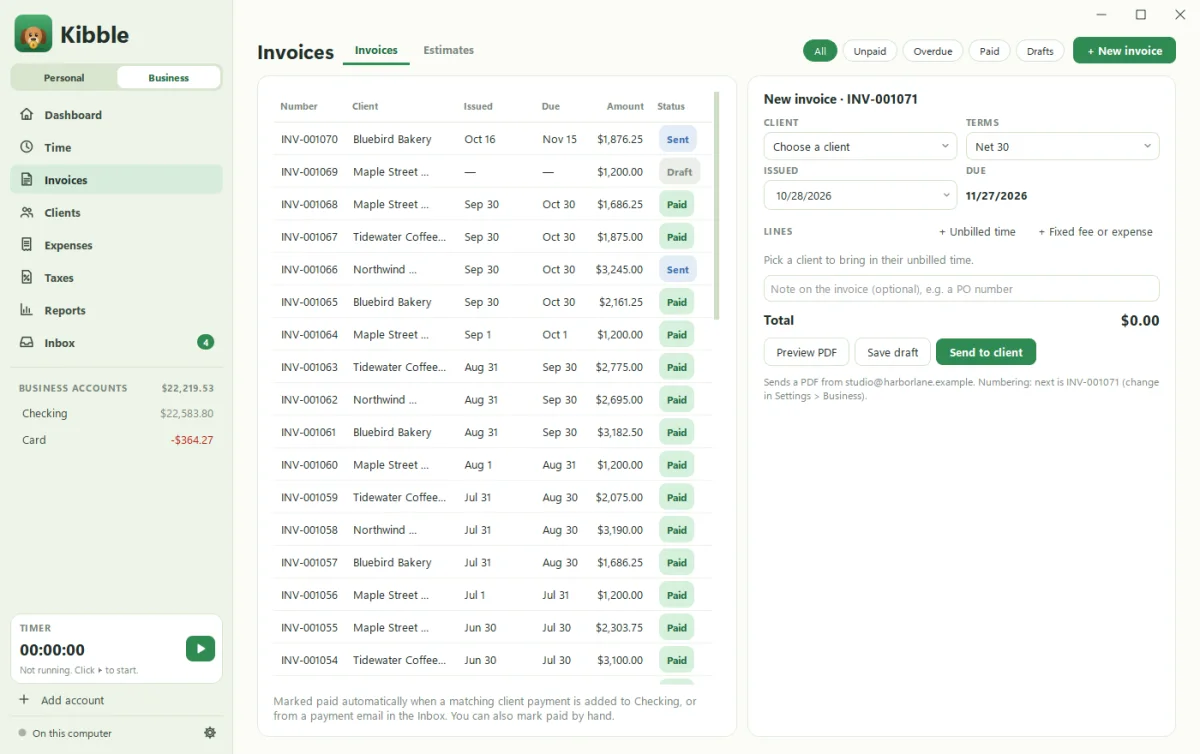
To send an invoice in Kibble, open Invoices on the Business side and click + New invoice. Pick the client, add + Unbilled time or + Fixed fee or expense lines, and send it. Kibble emails a PDF from your own Gmail address and marks it paid when the money arrives.
Before your first invoice
You’ll need, once:
- Business mode switched on (see Switch on Business mode).
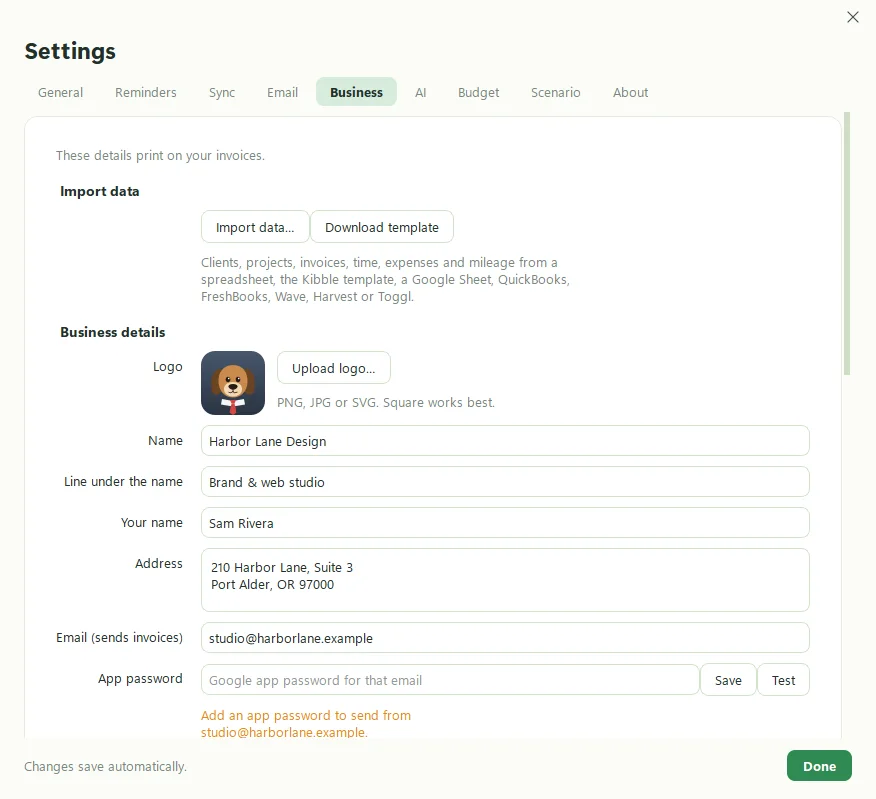
- In Settings > Business: your business details, Your name, the Email (sends invoices) Gmail address, and its Google app password (see Make a Gmail app password).
- A client with an invoice email. Add one on Clients with + New client.
How do I make and send one?
- Open Invoices and click + New invoice.
- Pick the client. Their unbilled hours come in for you. You can also click + Unbilled time.
- Add + Fixed fee or expense lines if needed. Untick any line you don’t want to bill yet.
- Add an optional note, like a PO number.
- Send it. The email goes from your Gmail with the PDF attached, signed with your name.
Default terms are Net 30 (change it in Settings > Business).
How does it get marked paid?
Whichever comes first:
- A matching client payment is added to your business Checking account.
- A payment email shows up in the Inbox and you add it.
- You mark it paid yourself and choose the account the payment went into, or “Don’t add a payment” if it’s already recorded.
What if the client is late?
Kibble drafts friendly reminders at 5, 15 and 30 days late and waits for your OK. See Late payment reminders.
Can I fix a sent invoice?
Click Edit again (back to draft), make your change, and Send again. To cancel one, Void it. It stays in the list as Void, and its time becomes unbilled again.
What else should I know?
- Filter the list by All, Unpaid, Overdue, Paid or Drafts.
- Your logo prints on every invoice. Until you upload one, Kibble’s business logo is used.
- Quoting first? Send an estimate and turn it into an invoice when they say yes.
Questions people ask
Does the invoice include payment instructions?
No. Invoices don't include bank details. Send those, and your W-9 if needed, to the client separately.
Can I change invoice numbers?
Yes. In Settings > Business, number invoices in order from a number you pick, or give each a random number like INV-482913.
Can I just download the PDF instead of emailing it?
Yes. Save the PDF and send it however you like, then mark it paid when the money arrives.
Still scratching your head?
Send us a note and a real person will get back to you.