Make a Gmail app password
Step-by-step instructions for creating a Google app password for Kibble, including turning on 2-Step Verification first.
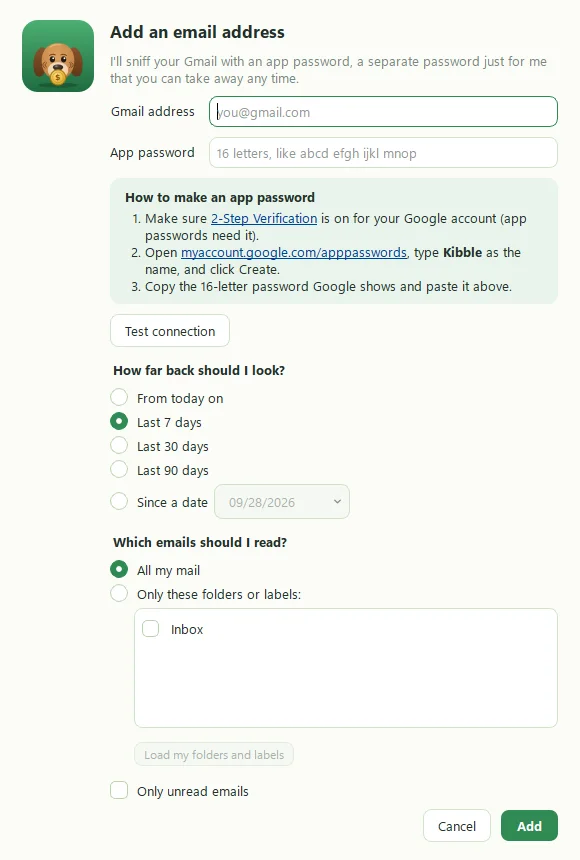
A Google app password is a separate 16-letter password that lets Kibble read your Gmail without ever knowing your real Google password. To make one, turn on 2-Step Verification for your Google account, then go to myaccount.google.com/apppasswords, type Kibble as the name, and click Create. Copy the password into Kibble.
Step 1: Turn on 2-Step Verification
App passwords only exist for accounts with 2-Step Verification.
- Go to myaccount.google.com/signinoptions/two-step-verification.
- If it says On, skip to step 2. If not, click Turn on and follow Google’s prompts. A phone number or the Google app is all you need.
Step 2: Create the app password
- Go to myaccount.google.com/apppasswords. Sign in again if Google asks.
- Under App name, type Kibble.
- Click Create.
- Google shows a 16-letter password, like
abcd efgh ijkl mnop. Copy it.
Google shows it only once. If you close the box first, just delete it and make another. No harm done.
Step 3: Paste it into Kibble
- In Kibble, open Settings > Email and add your address. See Connect your Gmail.
- Paste the password into App password. Spaces don’t matter.
- Click Test connection.
Where else does Kibble use one?
Business mode sends invoices from your Gmail address, and that uses an app password too. You can use the same one or make a second, named something like “Kibble invoices”. Enter it in Settings > Business (see Send your first invoice).
Troubleshooting
- “Google said the password is wrong”: make sure you pasted the app password, not your normal password. If in doubt, make a fresh one.
- No App passwords option: 2-Step Verification isn’t on yet, or your Google Workspace administrator has turned app passwords off.
- It worked, then stopped: changing your Google password removes all app passwords. Make a new one.
Kibble keeps app passwords in Windows Credential Manager, never in a plain file.
Questions people ask
I don't see the App passwords page. Why?
App passwords need 2-Step Verification turned on. Work or school accounts may also have them blocked by an administrator.
Is an app password the same as my Google password?
No. It's a separate 16-letter password just for Kibble. Your real Google password never goes into Kibble.
How do I turn it off later?
Go back to myaccount.google.com/apppasswords and delete the Kibble entry. Kibble stops reading that address right away.
Still scratching your head?
Send us a note and a real person will get back to you.