Import time from Clockify
How to connect Clockify to Kibble so your hours import every hour, land on the right client and project, and flow into invoices.
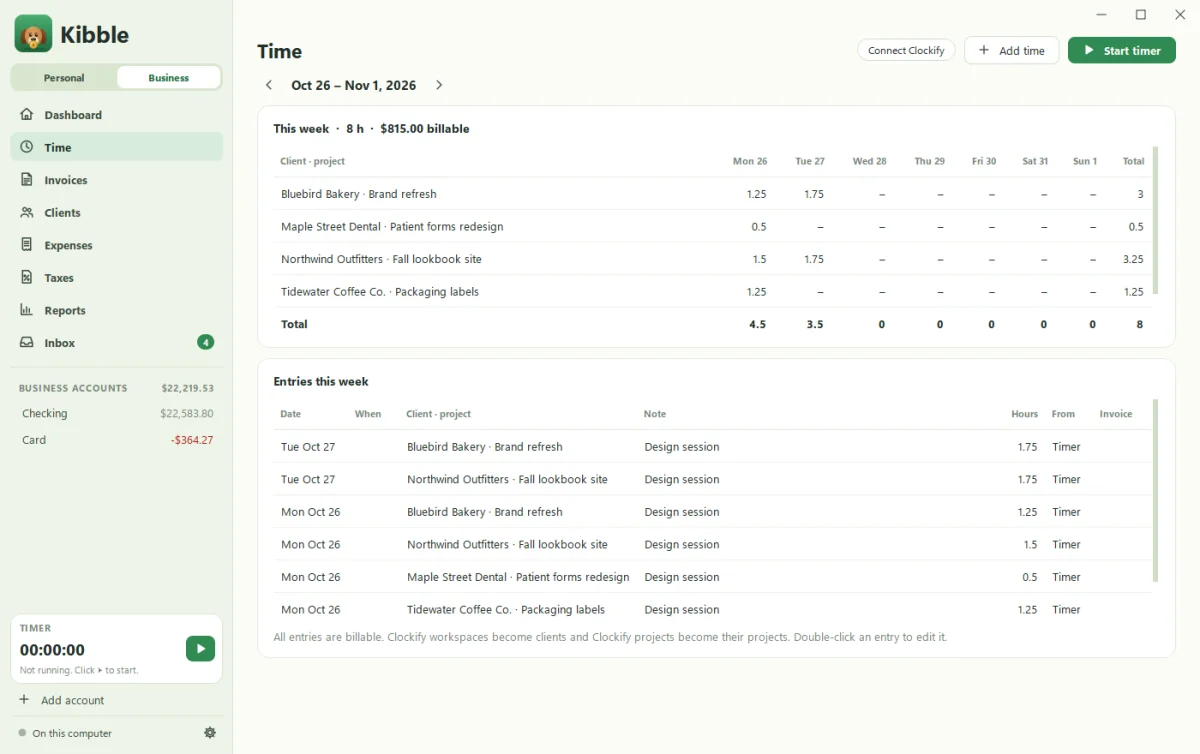
To import your hours from Clockify, copy your Clockify API key (in Clockify under Profile settings > API > Generate) and paste it into Kibble’s Settings > Business. Kibble imports new time every hour, or when you click Import now. Each Clockify workspace becomes a client, and its projects become that client’s projects.
How do I connect Clockify?
- In Clockify, open Profile settings, find API, and click Generate. Copy the key.
- In Kibble, open Settings > Business and paste it into Clockify API key.
- Leave Import automatically (every hour) ticked, or untick it to import only when you click Import now.
You can also paste the key during setup’s Your business step, or click Connect Clockify on an empty Business dashboard.
How is time organized?
| In Clockify | In Kibble |
|---|---|
| Workspace | Client |
| Project | That client’s project |
| Time entry | Billable hours on that project |
Set each client’s or project’s rate on the Clients screen. Anything without a rate uses your Default hourly rate from Settings > Business.
How do hours get onto invoices?
When you make a new invoice and pick a client, their unbilled time comes in for you. Untick anything you’re not billing yet. See Send your first invoice.
What about planned hours?
Give a project planned hours on the Clients screen, and Kibble’s Needs you list warns you at 80% and 100%, before a project quietly eats your weekend.
Can I import time from somewhere else?
Yes. Harvest, Toggl, QuickBooks and FreshBooks time exports all work through the import in Settings > Business (see Import from QuickBooks). Or track time right in Kibble with the timer at the bottom of the sidebar.
Questions people ask
Will importing twice create duplicate hours?
No. Kibble never imports the same Clockify entry twice.
Are all Clockify entries billable in Kibble?
Yes. Every imported entry is treated as billable. Set rates per client or project on the Clients screen.
I don't use Clockify. How do I track time?
Use the timer at the bottom of the sidebar, or Add time on the Time screen.
Still scratching your head?
Send us a note and a real person will get back to you.