Kibble for freelancers
Time, invoices, expenses and quarterly taxes, next to your personal budget, on your own PC.

Freelancing means running a tiny business on top of doing the actual work. Kibble keeps the business part small: track time, send invoices, sort expenses, and estimate quarterly taxes, all on your own Windows PC, right next to your personal budget.
From hours to invoices
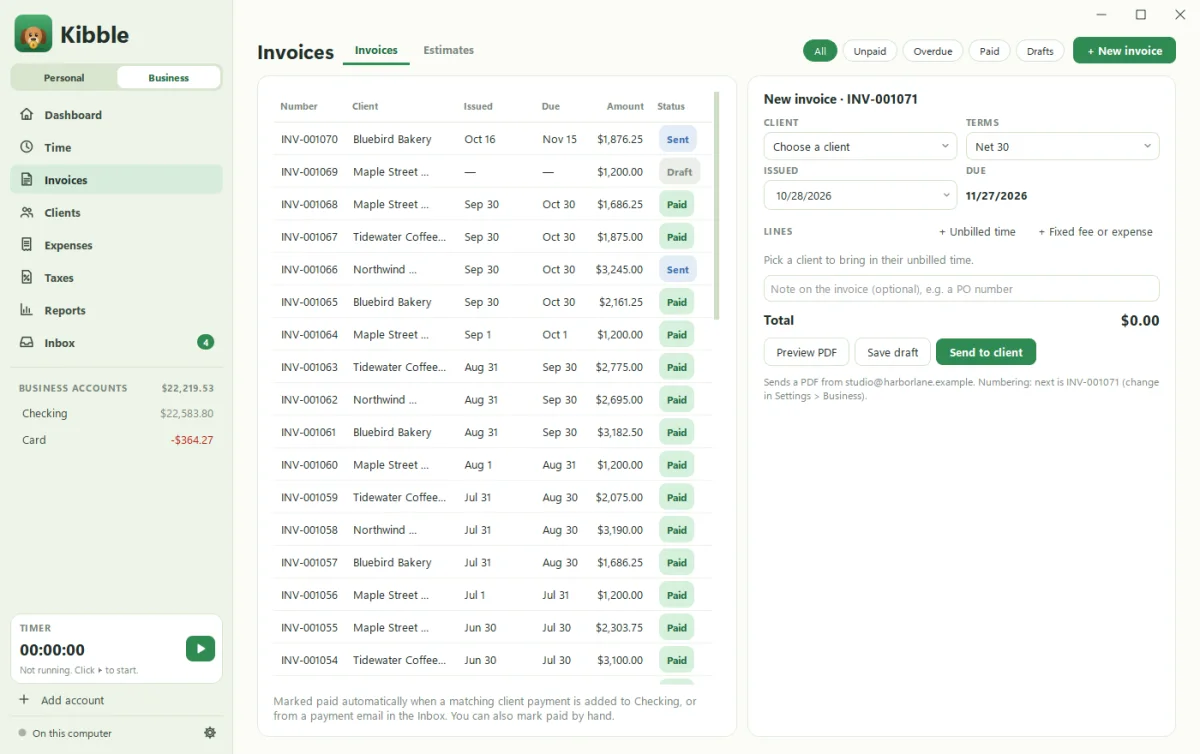
Start a timer, add time by hand, or import it from Clockify. When it’s time to bill, pick the client and Kibble pulls in their unbilled hours. Add fixed fees or expenses, and send a PDF invoice from your own Gmail, signed with your name. Kibble marks it paid when the money arrives. See Send your first invoice.
- Late clients? Kibble drafts friendly reminders at 5, 15 and 30 days and waits for your OK.
- Retainer clients? Kibble drafts the invoice on the 1st of each month.
- Quoting first? Send an estimate and turn it into an invoice when they say yes.
Expenses, sorted for Schedule C
Import bank and card statements, attach receipts, and give each expense its Schedule C line. Kibble remembers the line for each payee. Log mileage at the 2026 IRS rate, and add the simplified home office deduction. More in How to track freelance expenses for Schedule C.
Quarterly taxes without the panic
The Taxes screen estimates what to set aside each quarter, for federal and any states you add, based on your real profit and the rate you choose. It reminds you 7 days before each due date, and records payments when you mark them paid. In January, it tracks 1099s both ways and builds one ZIP for your accountant. See Quarterly tax estimates.
Not sure what rate to use? Try our free quarterly tax calculator. Not sure what to charge? Try the freelance rate calculator.
Your budget, kept separate
Choose Both in settings, and a Personal | Business switch appears. Your zero-based personal budget lives on one side, your business books on the other, and business money never touches your budget. Many freelancers pay themselves a steady monthly amount from the business account, then budget it like a paycheck. See Budgeting on an uneven income.
Private by design
Kibble keeps your books in a file on your own PC and works offline. It never logs into your bank. Transactions come from statement files, email receipts you approve, and quick entry.
What it costs
Kibble is free during early access, with no limits on clients or invoices, on Windows 10 and 11. Comparing options? See QuickBooks alternatives for freelancers.
Questions people ask
Can clients pay invoices online through Kibble?
No. Kibble sends PDF invoices from your own Gmail and marks them paid when the payment shows up. You share your usual payment details with clients.
Does Kibble file my taxes?
No. It estimates quarterly payments, tracks deductions and 1099s, and builds a year-end ZIP for your accountant. You or your accountant file.
Can I bring my books from another app?
Yes. Kibble imports clients, invoices, time, expenses and mileage from spreadsheets, QuickBooks, FreshBooks, Wave, Harvest and Toggl.
Still scratching your head?
Send us a note and a real person will get back to you.