Sync and the web app
Where Kibble keeps your budget, whether it syncs between computers yet, and how to back it up in the meantime.
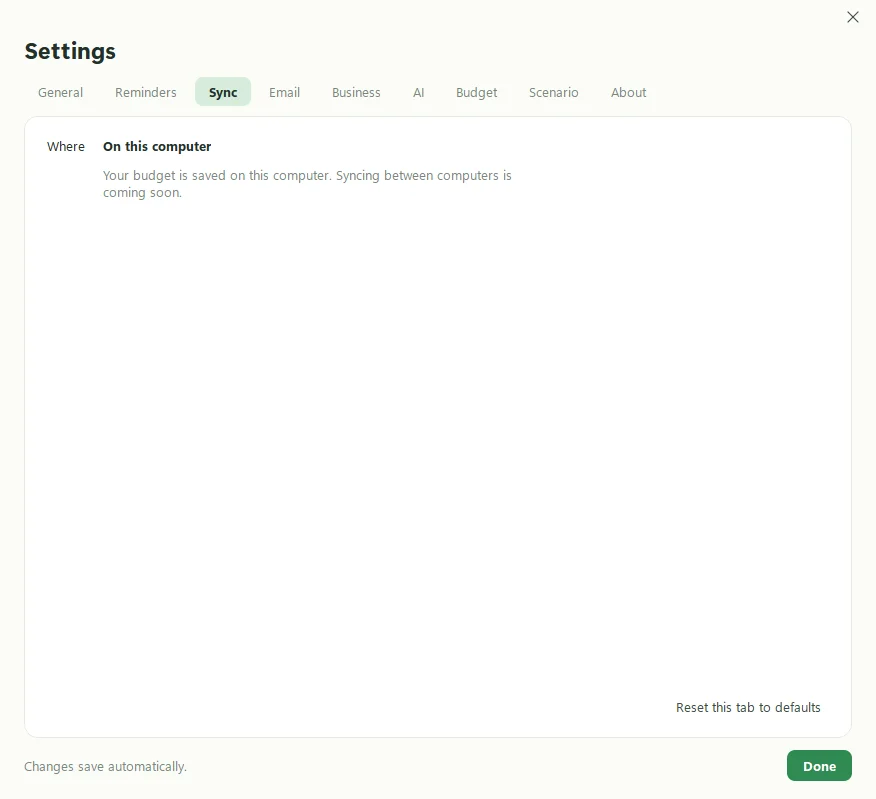
Kibble saves your budget on your computer, and it works offline. Syncing between computers and the web app is coming soon. Until then, Settings > Sync says “On this computer”, and your budget lives in one place: %LOCALAPPDATA%\Kibble\kibble.db.
Where is my budget saved?
In %LOCALAPPDATA%\Kibble\kibble.db, alongside your settings, invoice PDFs and receipts. Kibble’s Settings > About has a button that opens the folder. See Where your data is stored.
How do I back it up for now?
- Quit Kibble (right-click the tray icon and choose Quit).
- Copy the
%LOCALAPPDATA%\Kibblefolder to a USB drive or a cloud folder.
To restore it, quit Kibble, put the folder back, and open Kibble. Simple, if a little old-fashioned. Like burying a bone in two places.
How will I know when syncing is ready?
Keep an eye on What’s new, which lists every Kibble release. Kibble also checks for updates once a day and tells you what’s in each one (see Updating your apps).
What about moving to a new computer?
Install Kibble on the new computer and open it once so it creates its folder. Quit it. Then copy your backed-up Kibble folder over the new one and open Kibble again. Your app passwords live in Windows Credential Manager, so add those again in Settings > Email and Settings > Business.
Will uninstalling delete my budget?
Only if you say yes. The uninstaller asks, and No keeps it. See Uninstalling.
Questions people ask
Does Kibble work offline?
Yes. Your budget is saved on your computer and works with no internet at all. Email checks and AI features need a connection.
Can I use Kibble on two computers?
Not with automatic syncing yet. Syncing between computers is coming soon. Settings > Sync shows the current status.
Still scratching your head?
Send us a note and a real person will get back to you.