Updating your apps
How Fetch, Hunter and Kibble check for updates, how to install the newest version in one click, and why every update is signed.
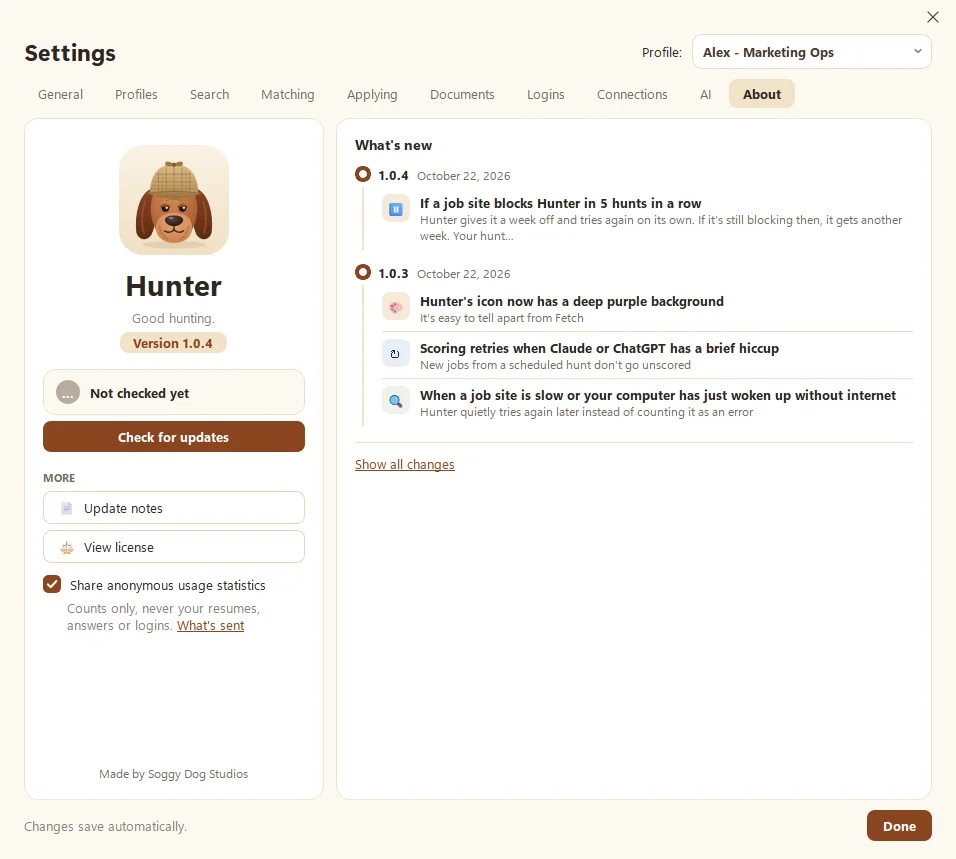
To update a Soggy Dog app, open Settings > About and click Update now (in Kibble, Install). Each app also checks once a day on its own and shows a small pop-up when a new version is out. The app closes, updates, and reopens in about a minute.
How do I know an update is ready?
Once a day, each app quietly looks for a newer version. When it finds one, a pop-up appears in the corner with the version number and the headline change. Click See what’s new to jump to Settings > About, or Later to wave it off for now.
How do I install an update?
- Open the app’s Settings and go to the About tab.
- If it doesn’t already say a new version is out, click Check for updates.
- Click Update now (Fetch and Hunter) or Install (Kibble).
- The update downloads, the app closes, and it reopens on the new version in about a minute.
That’s it. No reinstalling, no hunting for files. A good dog brings the stick back by itself.
Why does it say “Couldn’t update”?
The usual reasons, from most to least likely:
- No internet. Check your connection and try again.
- The download was damaged. The app checks every download and throws away a broken one. Just try again.
- The update isn’t signed. Every update is digitally signed by Soggy Dog Studios, and the apps refuse anything that isn’t. If you ever see this message, don’t work around it. Tell us instead.
Fetch also won’t update in the middle of a recording. It’ll say “Finish your call first.”
Can I turn off update checks?
No. The daily check is how security fixes reach you, so it stays on. It only looks for a new version and never installs one without your click. Read more about signed updates on our Security page.
Questions people ask
Will updating delete my notes, resumes or budget?
No. Updates replace the app, not your data. Everything stays where it was.
Why didn't Fetch update during my call?
Fetch waits until you're not recording. Finish the call, then click Update now.
Can I see what changed?
Yes. Settings > About shows the latest changes, and the What's new page lists every release.
Still scratching your head?
Send us a note and a real person will get back to you.