Review and approve applications
How Hunter fills in applications on company sites, what waits in the Review queue, and how to check, submit or skip each one.
When you click Apply on a job, Hunter writes a tailored resume, you approve it, and then Hunter fills in the application on the company’s own site. Applications that need your eyes wait in the Review queue. Click Review and submit to check one and send it, or Skip to let it go.
What does applying look like?
- Click Apply on a job in New matches, or open a job and click it there.
- Step 1: check the tailored resume and click Approve and continue (see Tailored resumes and the fact check).
- Hunter opens the company’s application form in its own browser window and fills it in from your profile, your Standard answers, and your resume.
- You check the filled-in form and submit it. In practice mode, Hunter never presses Submit for you.
Hunter creates an account on the job site if one is needed and saves the login in your vault (see Set up your vault).
What’s in the Review queue?
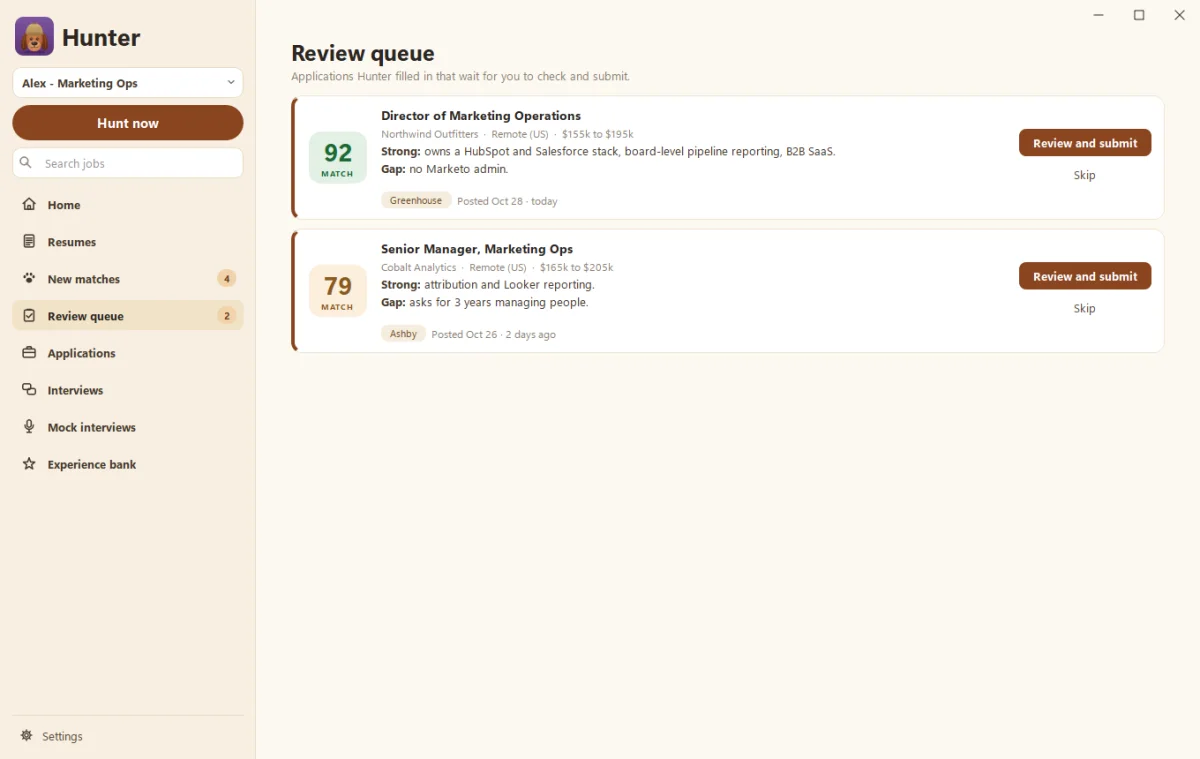
Applications Hunter filled in that wait for you to check and submit:
- Jobs scoring at your review level but below your automatic level.
- Applications with written questions like “Why us?”
- Anything when practice mode is on or Automatic submit is off.
What if the job isn’t on a site Hunter knows?
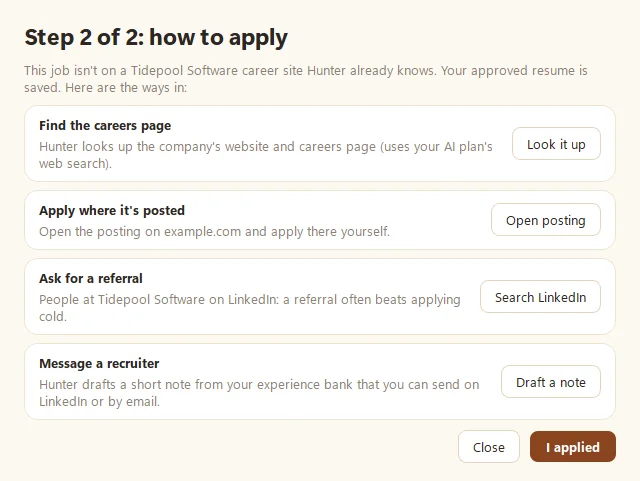
You’ll see Step 2 of 2: how to apply, with options:
- Let Hunter apply for me. Hunter searches the web for the job on the company’s own site, or applies through LinkedIn Easy Apply or Indeed where it’s posted.
- The company’s careers page or Apply where it’s posted, to do it yourself.
- Ask for a referral. This searches LinkedIn for people at the company. A referral often beats applying cold.
- Message a recruiter. Hunter drafts a short note from your experience bank.
If you applied yourself, click I applied so Hunter tracks it.
Where do applications go after?
To the Applications page, as a list or a board by stage. With Gmail connected, replies, interviews and offers update each one on their own (see Connect Gmail, Calendar and Sheets). Quiet applications move to Archived after 30 days, and come back if a new email arrives.
Questions people ask
Does Hunter apply through job boards?
It prefers the company's own career site. If the job is only on LinkedIn or Indeed, it can apply there after you sign in yourself. See the LinkedIn Easy Apply guide.
What if Hunter can't answer a question on the form?
It asks you, and the application waits in the Review queue until you answer.
Still scratching your head?
Send us a note and a real person will get back to you.