Tailored resumes and the fact check
How Hunter writes a resume for each job from your real experience only, what the colored highlights mean, and how to edit in Word.
For every job you apply to, Hunter writes a resume tailored to that posting using only what’s in your experience bank. Then it fact-checks the result. Lines it reworded are highlighted, and hovering a highlight shows your original wording. You approve it, have it rewritten, or edit it in Word before anything is sent.
How does Hunter tailor a resume?
It reads the posting, picks the experience from your experience bank that matters most for it, and puts that first, using the job’s own language where your experience truly matches. It doesn’t add skills, titles, numbers or employers you don’t have. Then a fact check compares the new resume with your experience bank and fixes anything that drifted.
What do the highlights mean?
When the resume opens (Step 1 of 2: check your resume), lines are colored:
| Color | Meaning |
|---|---|
| Yellow | Reworded for this job. Same facts, different words. |
| Blue | Written for this job, such as a summary line. |
| Red | Changed by the fact check. Hunter caught something and fixed it. |
Unhighlighted lines are word for word from your bank. Hover any highlight to see the wording it came from.
What can I do with it?
- Approve and continue. Hunter makes the PDF and moves on to the application (see Review and approve applications).
- Write it again. For a fresh version.
- Edit in Word. Change anything, save, then click Use my Word edits. Keep it true, because Hunter sends exactly what’s in the file.
How do I change the look?
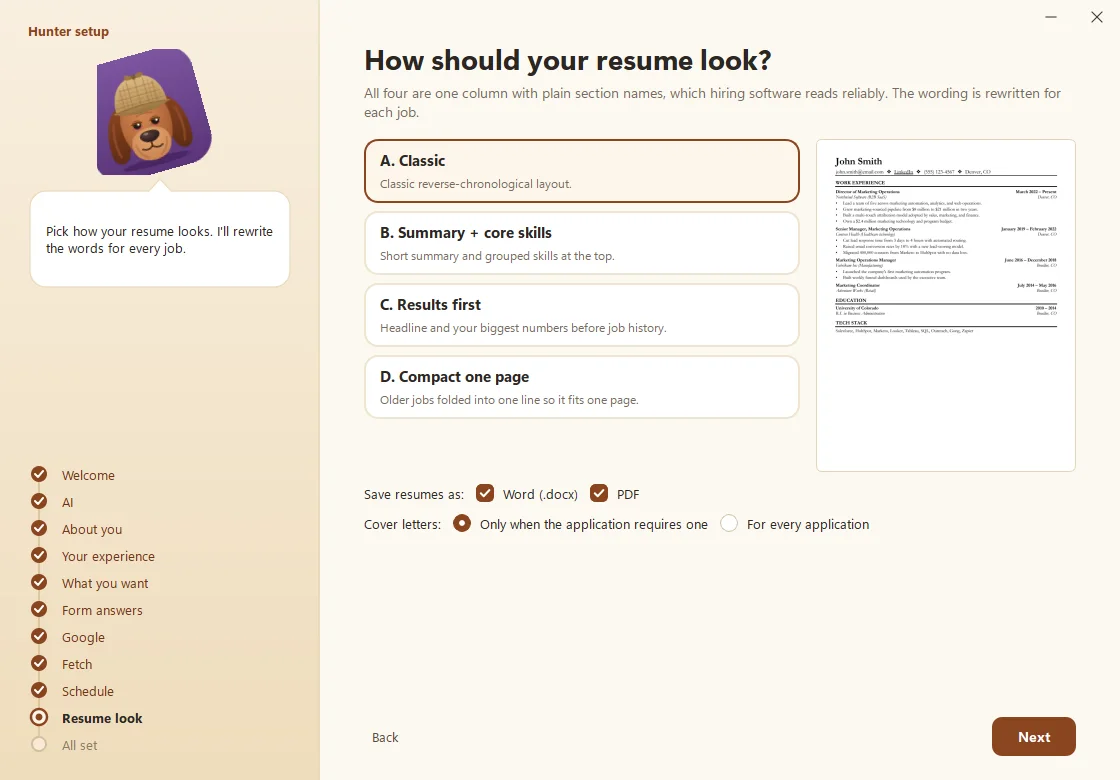
In Settings > Documents, choose Resume look:
- A. Classic: a classic reverse-chronological layout.
- B. Summary + core skills: a short summary and grouped skills at the top.
- C. Results first: a headline and your biggest numbers before your job history.
- D. Compact one page: older jobs folded into one line so it fits one page.
You can also choose Word, PDF or both, and whether to write Cover letters only when an application requires one or for every application.
Can I have one general resume too?
Yes. On the Resumes page, click Make master resume for an all-purpose version. Every tailored version is listed there too. For the thinking behind tailoring, see How to tailor your resume for every job without stretching the truth.
Questions people ask
Does Hunter make things up?
No. It writes only from your experience bank, then fact-checks the result. Anything it rewords is highlighted so you can compare it with your original words.
Will hiring software be able to read it?
Yes. All four looks are one column with plain section names, which applicant tracking systems read well.
Where are the files saved?
In Documents\Hunter\your profile\, in a folder named for the date, company and job. The Resumes page lists them all.
Still scratching your head?
Send us a note and a real person will get back to you.