Fetch vs Fireflies.ai
A private notetaker for one person against a cloud tool built for whole teams.

Fetch is a free Windows app that records and transcribes your meetings on your own PC, without a bot. Fireflies.ai is a cloud notetaker built for teams. Its bot joins your calls by default, and it adds integrations, analytics and AI features on top. Fireflies is the stronger pick for teams and sales. Fetch is the stronger pick for one person who wants private notes and their own files.
Facts about Fireflies come from its own website and help center, checked October 29, 2026. Links are at the bottom.
At a glance
| Fetch | Fireflies.ai | |
|---|---|---|
| How it joins meetings | No bot. Records from your PC | Bot joins by default; desktop app and Chrome extension can record without one |
| Where speech becomes text | On your PC | Fireflies’ service (it doesn’t say where) |
| Keeps audio of bot-free recordings | Yes, MP3 on your PC | No, per its desktop help guide |
| Speaker names without a bot | You, plus the others labeled by Fetch | “Speaker 1, Speaker 2” |
| AI chat about meetings | Yes, with your own Claude or ChatGPT account | Yes (AskFred) |
| Apps | Windows | Mac, Windows, iPhone, Android, web, Chrome |
| Team analytics and CRM | No | Yes, on paid plans |
| Price | Free during early access | Free plan; Pro $10 per seat per month yearly or $18 monthly |
The bot, and the desktop app
Fireflies’ assistant joins every meeting with a web-conference link by default. Its help center says that on the Free plan, unlimited transcription requires auto-joining your calendar meetings. On paid plans, the Fireflies desktop app for Mac and Windows can record from your computer’s audio instead. Fireflies’ guide says that mode saves no audio or video files, and labels speakers only as Speaker 1 and Speaker 2.
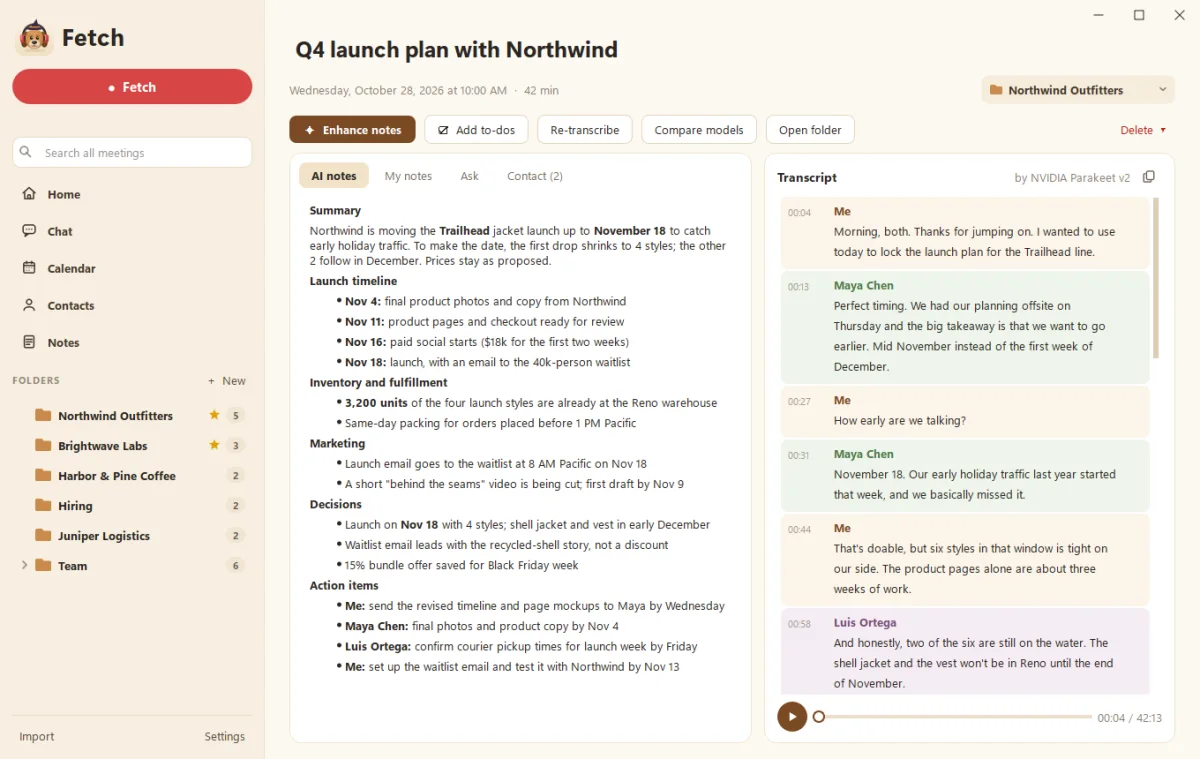
Fetch always records from your PC. It keeps an MP3 of each call, so you can play a moment back or re-transcribe it later.
Where does your meeting go?
Fetch transcribes on your own processor or graphics card, and saves everything in your Documents folder. Nothing is uploaded unless you turn on Google Drive backup or choose the one optional online speech model.
Fireflies’ security page says it doesn’t train on your data by default, has a zero-day retention policy with its vendors, and lists SOC 2 Type II, GDPR and HIPAA, with private storage on Enterprise. It doesn’t say on its security page where audio is processed. It’s a cloud service, so your meetings live on its systems.
Price
Fireflies’ own pricing guide (July 2026) lists a Free plan, Pro at $10 per seat per month billed yearly ($18 monthly), Business at $19 yearly ($29 monthly), and Enterprise at $39 yearly. We couldn’t see prices on its live pricing page when we checked, so confirm there before deciding.
Fetch is free during early access.
Where Fireflies wins
Pick Fireflies if:
- You manage a team and want shared notes, analytics and admin controls.
- You live in a CRM. Fireflies connects to CRMs and many apps on paid plans.
- You need Mac, phone, web or a Chrome extension. Fetch is Windows only for now.
- You want live assistance during calls.
- You meet in many languages. Fireflies lists several, many in beta.
Where Fetch wins
Pick Fetch if:
- You want no bot, on every plan. Fetch never joins as a guest.
- You want to keep the audio. Every call is saved as an MP3 with Markdown notes.
- Privacy matters. Transcription happens on your PC.
- You record offline or in person. No connection needed.
- You’re one person, not a sales floor, and don’t want a per-seat bill.
Switching from Fireflies?
Download your transcripts from Fireflies and bring them in with Import in Fetch. See Import recordings and transcripts, then record your first meeting.
Sources
Checked October 29, 2026. Prices and features change, so check Fireflies’ site for the latest.
- Fireflies pricing guide, July 2026
- Fireflies pricing page
- Fireflies security
- Recording without a bot on the Fireflies desktop app
- Unlimited transcriptions on the Fireflies Free plan
Fireflies and Fireflies.ai are trademarks of their owner. Soggy Dog Studios isn’t affiliated with Fireflies.ai. This comparison is based on public information as of the date above.
Questions people ask
Does Fireflies need a bot to record?
By default, Fireflies' notetaker joins meetings that have a web-conference link. Its desktop app on paid plans and its Chrome extension can record without a bot. Fetch never uses a bot.
Is Fetch a free Fireflies alternative?
For individuals, yes. Fetch is free during early access. Fireflies has a free plan, and Pro costs $10 per seat per month billed yearly or $18 monthly, per its July 2026 pricing guide.
Which is better for a sales team?
Fireflies. It offers CRM integrations, team analytics and shared workspaces. Fetch is built for one person's own meetings.
Does Fireflies keep the audio of bot-free recordings?
Fireflies' help guide says its bot-free desktop mode doesn't save audio or video files. Fetch keeps an MP3 of every call on your PC.
Still scratching your head?
Send us a note and a real person will get back to you.