Daily auto-apply limits
How Hunter's daily limit on automatic submissions works, why it exists, and how to raise, lower or turn off automatic applying.
Hunter submits at most 10 applications a day on its own by default. Change it in Settings > Applying > Daily limit, anywhere from 0 to 100. The limit only counts automatic submissions. Applications you review and submit yourself don’t count.
Why have a limit at all?
Three reasons:
- Quality over quantity. Ten well-matched, tailored applications beat a hundred sprayed ones. Recruiters can tell.
- Your AI plan’s usage. Every tailored resume and filled form uses some of your Claude or ChatGPT allowance.
- Being a good guest. Job sites notice when someone applies a lot very fast. A steady pace keeps you, and Hunter, welcome.
How do I change it?
- Open Settings > Applying.
- Set Daily limit to the number of automatic submissions you want per day.
- Set it to 0 to stop automatic submissions without touching anything else.
When does Hunter submit automatically?
All of these have to be true:
- Practice mode is off (see Turn off practice mode).
- Submit high matches automatically is on.
- The job scores at or above Submit automatically at (85 by default, in Settings > Matching). See Understanding match scores.
- The application has no written questions for review, and Hunter can answer everything on the form.
- Today’s limit hasn’t been reached.
Anything else goes to the Review queue for you (see Review and approve applications).
How do I see what was sent?
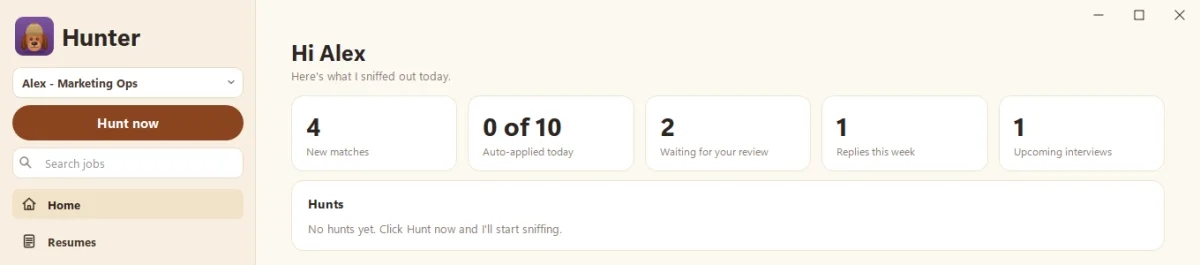
The Home page shows Auto-applied today, like “4 of 10”. The Applications page lists every application with its stage, so you can spot-check Hunter’s work now and then. Trust the dog, but check the dog.
What’s a good limit?
If you’re getting interviews from what Hunter sends, keep it. If you’re not, try lowering the limit and raising the automatic score, so only the strongest matches go out on their own. Hunting smarter, not harder.
Questions people ask
Does the limit count applications I submit myself?
No. It only counts applications Hunter submits on its own. Review and submit as many as you like.
What happens to strong matches over the limit?
They wait. Nothing is lost. You can review and submit them yourself.
Still scratching your head?
Send us a note and a real person will get back to you.