Business reports
How Kibble's Business Reports shows revenue, profit and unpaid invoices for any period, compares it with last year, and exports a PDF or CSV.
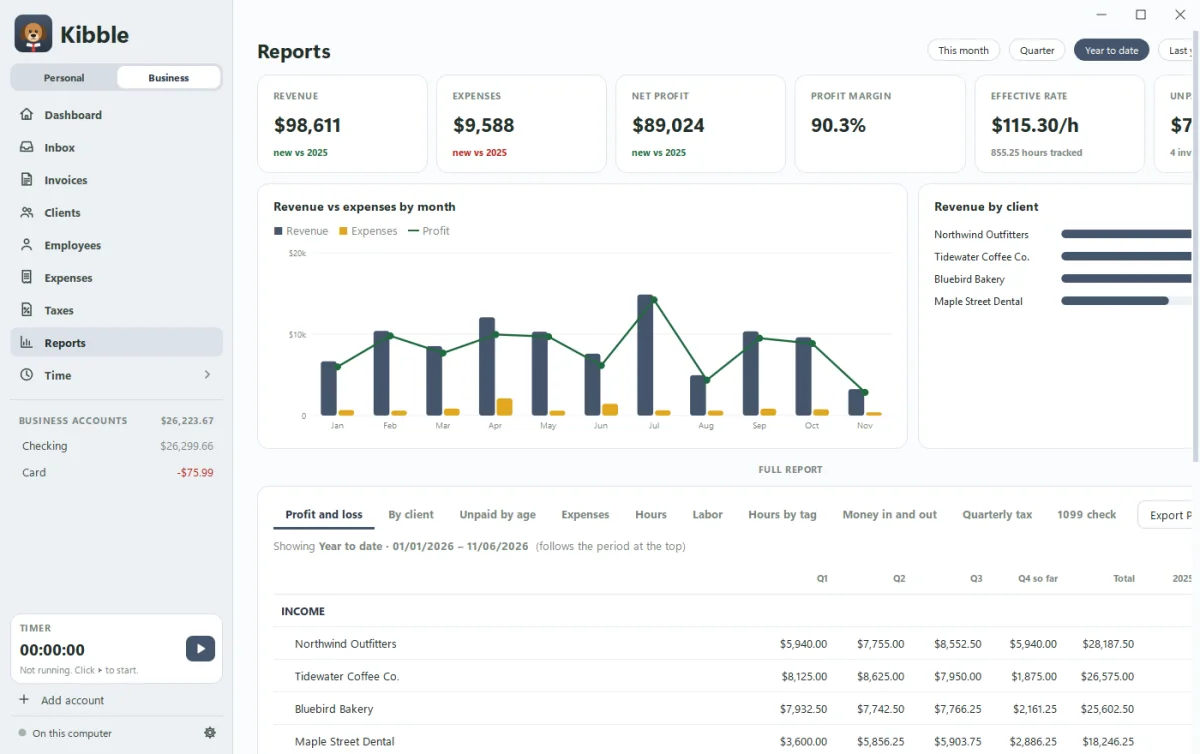
Open Reports on the Business side. Pick a period at the top: This month, Quarter, Year to date, Last year, or a whole year from the list. Kibble shows six cards and two charts for that period, with every report full-size below.
What’s at the top?
- Six cards: revenue, expenses, net profit, profit margin, effective hourly rate and unpaid, each compared with the same period last year.
- Revenue vs expenses by month: bars for each month, with a line for profit.
- Revenue by client: who your money came from.
Which reports are there?
| Report | What it shows |
|---|---|
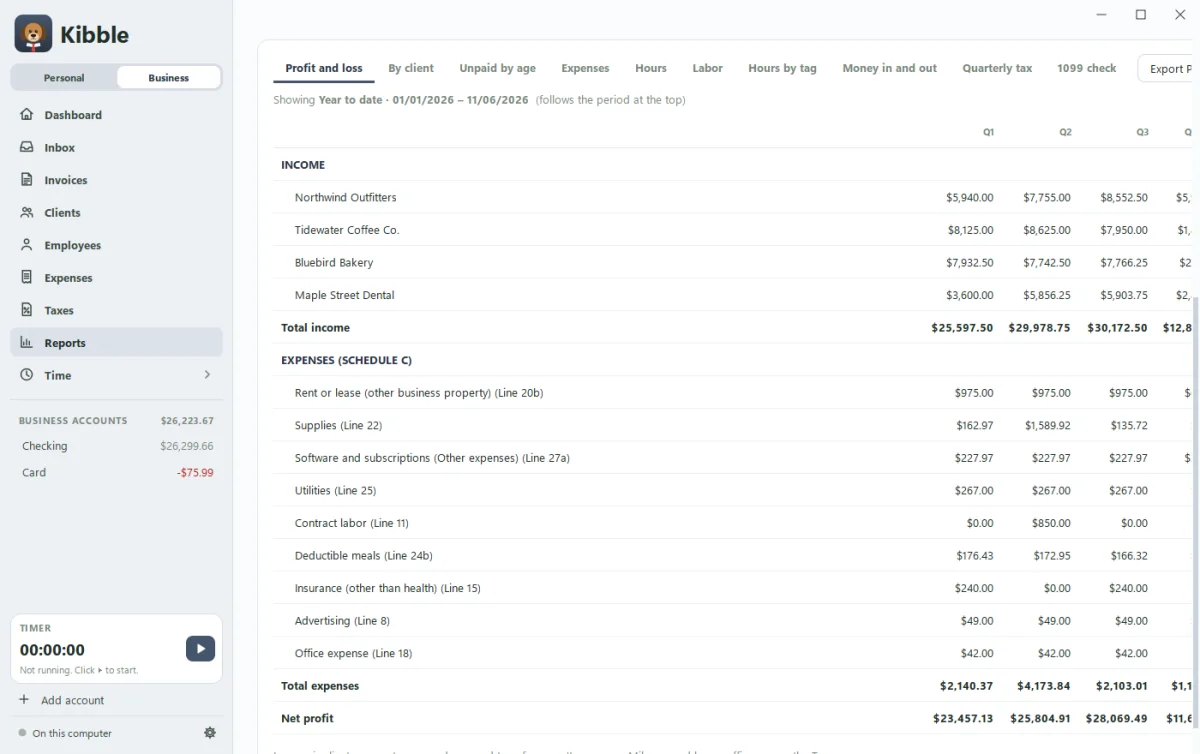
| Profit and loss | Income by client and expenses by Schedule C line, by month or quarter. The one your accountant wants |
| By client | What each client paid you, their share, hours and effective hourly rate |
| Unpaid by age | Who owes what, grouped by how late it is |
| Expenses | Your expenses by Schedule C line |
| Hours | Hours, billable value, amount invoiced and effective hourly rate per client |
| Labor | Wages, payroll taxes, benefits and contractors, labor as a share of revenue, profit per person, cost by person, and labor cost by client. New in 1.1.3 |
| Hours by tag | Hours, billable value and entries for each tag, with untagged time last. New in 1.1.2 |
| Money in and out | Everything in and out of your business accounts by month, including owner draws and transfers. New in 1.0.8 |
| Quarterly tax | Profit so far and an estimate of each quarterly payment |
| 1099 check | What each client paid you, to check against the 1099 forms in January |
Tick Compare to last year to see the same period a year earlier next to it.
How do I save a report?
Click Export PDF or Export CSV next to the report tabs. At year end, the year-end ZIP also has your yearly reports for your accountant.
Questions people ask
Can I compare with last year?
Yes. Tick Compare to last year and most reports show the same period a year earlier next to it.
Can I send a report to my accountant?
Yes. Click Export PDF or Export CSV on any report. At year end, the year-end ZIP has your yearly reports too.
What is the effective hourly rate?
What you were paid divided by the hours you tracked. It shows what your time really earned, fixed fees included.
Still scratching your head?
Send us a note and a real person will get back to you.