Scheduled bills and reminders
How to set up repeating bills and paychecks in Kibble, have them entered automatically, and get a pop-up when a bill is due.
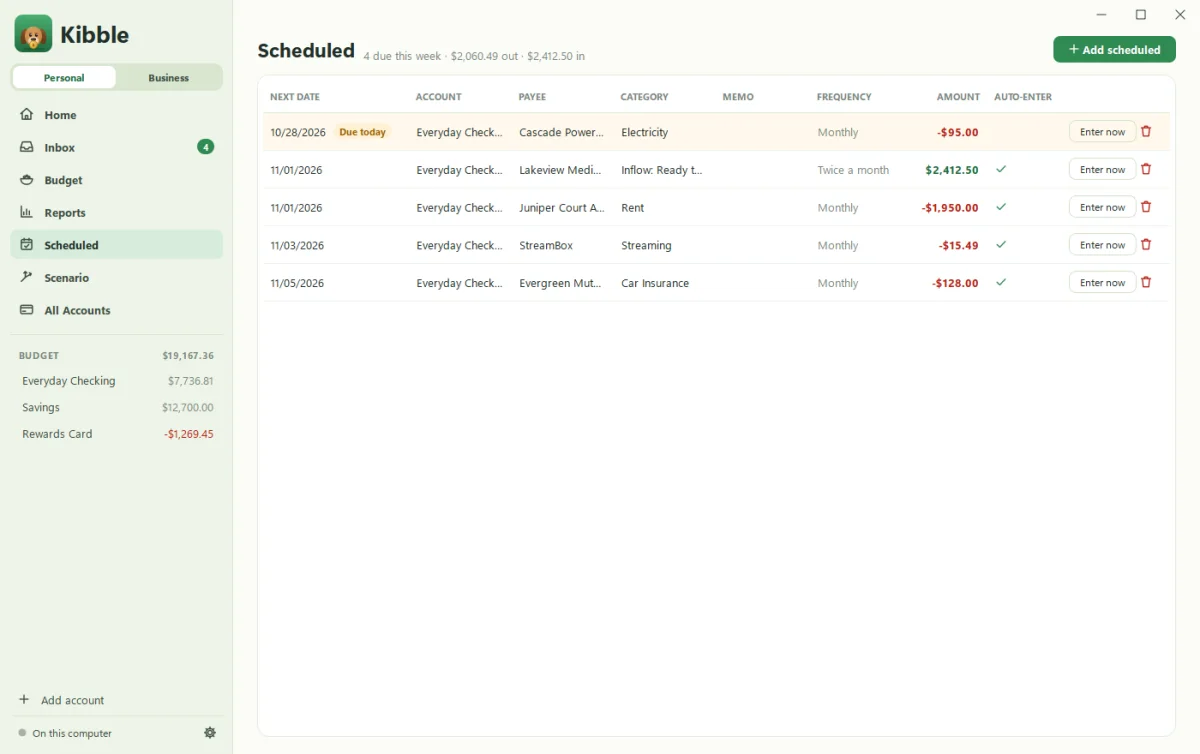
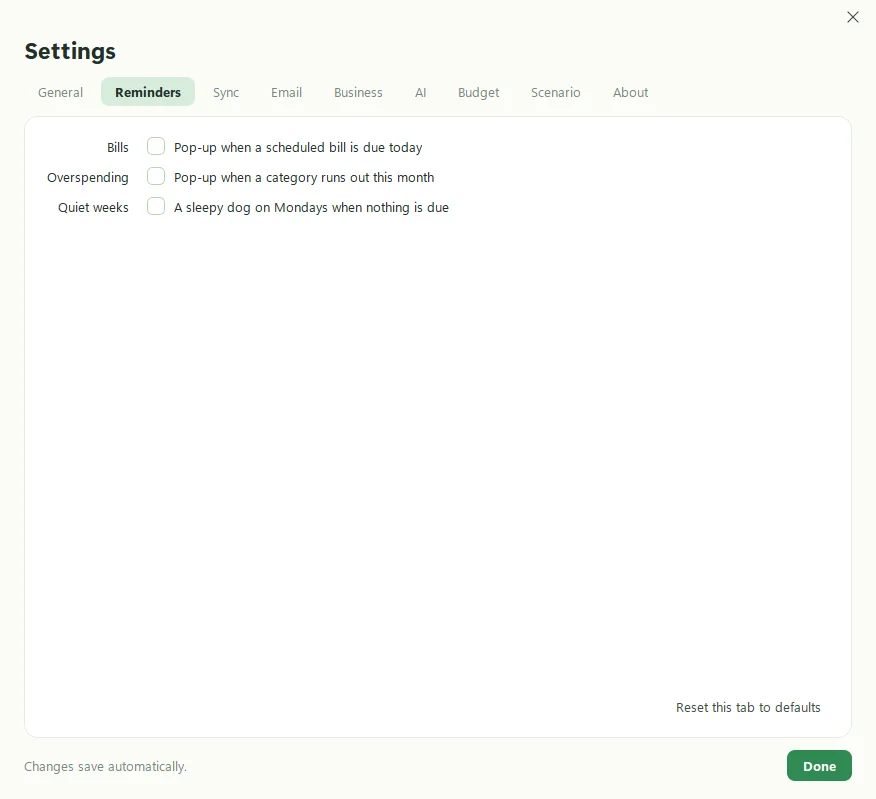
Scheduled is where repeating money lives: rent, subscriptions, insurance, paychecks. Add each one once with how often it repeats, and Kibble either enters it automatically when the date comes or reminds you so you can enter it yourself. Turn on Pop-up when a scheduled bill is due today in Settings > Reminders for a nudge.
How do I add a scheduled transaction?
- Open Scheduled in the sidebar.
- Add a new scheduled transaction.
- Pick the account, the payee (a known payee fills in its usual category) and the category.
- Enter the amount and the next date.
- Choose how often it repeats: Once, Daily, Weekly, Every 2 weeks, Twice a month, Monthly, Every 2 months, Every 3 months or Yearly.
- Tick Enter automatically when the date comes if you’d like Kibble to add it on its own.
Transfers between your own accounts work too. Just choose the other account as the payee. New to Kibble? Add your accounts first (see Set up your first budget).
How do I enter one early?
Click the enter button on its row. Kibble adds it to the account now and moves the schedule to the next date. Handy when a bill comes out a day early, as they love to do.
What do the colors mean?
Rows that are due today or overdue are tinted and labeled, so you can spot them at a glance. The top of the page says how many are due this week.
What reminders are there?
In Settings > Reminders:
- Bills: a pop-up when a scheduled bill is due today, with a woof.
- Overspending: a pop-up when a category runs out this month.
- Quiet weeks: a sleepy dog on Mondays when nothing is due. Not useful, exactly. Just nice.
Reminders need Kibble running, so let it wait in the tray (see The tray icon and starting with Windows).
How do I edit or delete one?
Double-click the row to edit it. Delete it from the edit window or the row, and Kibble asks first.
Questions people ask
Will Kibble pay my bills?
No. Kibble never moves money. It records the bill in your budget and reminds you it's due.
What if a bill amount changes each month?
Use your best guess and leave "Enter automatically" off, so you can enter it with the real amount when it arrives.
Still scratching your head?
Send us a note and a real person will get back to you.