Where are my recordings saved?
Where Fetch saves each meeting's audio, transcript and notes, how to change the folder, and how to save disk space.
Fetch saves every meeting on your computer in Documents\Meeting Notes, one folder per call, named with the date, time and title. Inside you’ll find the notes, the transcript and the audio. To open a meeting’s folder, click Open folder at the top of the meeting.
What’s inside a meeting’s folder?
| File | What it is |
|---|---|
notes.md |
Your notes, the AI notes and the transcript, in plain Markdown |
audio.mp3 |
The whole call, both sides mixed |
me.mp3 |
Just your microphone |
them.mp3 |
Just the computer sound (everyone else) |
Calls in a folder are saved inside a subfolder with that folder’s name, so your files line up with what you see in Fetch.
How do I change where meetings are saved?
Open Settings > Storage, click Browse… next to Save folder, and pick a new spot. New meetings go there. Meetings you already have stay where they are, so move them yourself if you’d like everything together.
How do I save disk space?
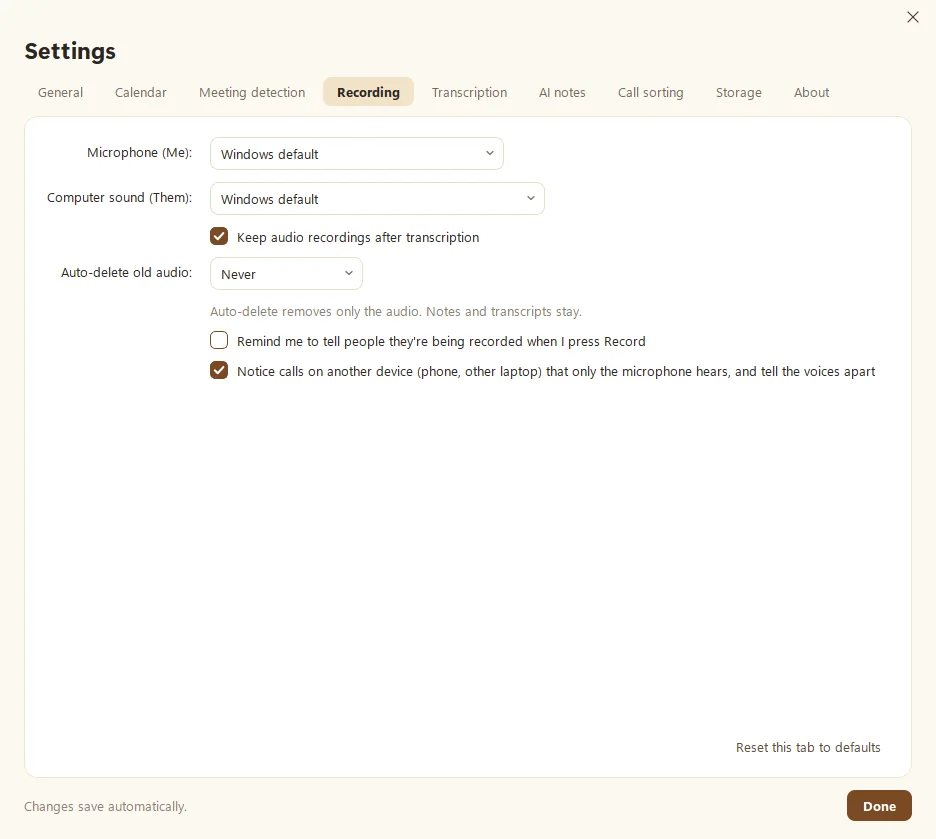
Audio takes about 30 MB per hour. If that adds up, you have options in Settings > Recording:
- Auto-delete old audio after 30, 90 or 365 days. Only the audio goes. Notes and transcripts stay.
- Keep audio recordings after transcription: untick to delete each call’s audio once it’s transcribed.
Either way, Fetch asks before deleting anything. Just know that without audio you can’t play a meeting back or re-transcribe it.
You can also delete one meeting’s audio only, its transcript only, or the whole meeting from the Delete menu at the top of the meeting.
Where’s the rest of Fetch’s data?
The search index, settings and speech models live in %LOCALAPPDATA%\MeetingNotetaker. See Where your data is stored for the full list.
Can I keep a copy in the cloud?
Yes, if you want one. Fetch can copy each finished meeting to Google Drive. See Back up to Google Drive.
Questions people ask
Are my recordings uploaded anywhere?
No. They stay on your computer unless you turn on Google Drive backup. Even then, audio is only included if you tick that option.
How much space does a recording take?
About 30 MB per hour of audio. Notes and transcripts are tiny.
Still scratching your head?
Send us a note and a real person will get back to you.