How to get your resume past applicant tracking systems (ATS)
What the software really does with your resume, and the simple fixes that help both it and the human reading next.

To get your resume past an applicant tracking system (ATS), keep the layout simple, use standard section headings, and use the job’s own words for skills you really have. Answer the screening questions carefully, because they’re the part most likely to filter you out automatically. Most of all, write for the person who reads it next.
What an ATS actually does
An applicant tracking system is the software behind most online applications, like Greenhouse, Lever or Workday. It:
- Reads your resume into text and fields, like name, jobs and dates.
- Asks screening questions, like work authorization or years of experience.
- Lets recruiters search and sort applicants, often by keywords and answers.
- Tracks you from applied to hired.
The popular idea that a robot reads every resume and rejects most of them is mostly a myth. The software organizes. People decide. But if your resume reads badly as text, or doesn’t use the words a recruiter searches for, you’re harder to find.
Formatting that reads well
- One column. Tables, text boxes and side columns can scramble the order.
- Standard headings: Experience, Education, Skills. “Where I’ve Been” is charming but confusing.
- Dates on each job, in a consistent format like “Mar 2023 to Present”.
- Contact details in the body, not only in the header or footer.
- Common fonts and no images of text.
- A simple file. A Word file, or a PDF saved from Word, unless the posting asks for something else.
A quick test: copy your resume and paste it into a plain text editor. If it still reads in order, you’re fine.
Keywords, honestly
Recruiters search for the skills and titles in the job post. If you have them, say so in their words:
- Read the post twice and note the repeated skills, tools and phrases.
- Check your resume against them. Our free resume keyword checker does this in your browser.
- Add the ones that are true, in context: “Built Salesforce dashboards for 40 account managers” beats a bare “Salesforce” in a list.
- Leave out the ones that aren’t. A gap is a question for the interview, not something to paper over.
More on this in How to tailor your resume for every job without stretching the truth.
Don’t trip on the screening questions
Questions like “Are you authorized to work in the US?”, “Do you need sponsorship?” or “Do you have a driver’s license?” can end an application on the spot. Read them slowly. If a question is unclear, answer truthfully and explain in a cover note if there’s room.
Then, the human
Every resume that gets through is read by a person, often in under a minute. Help them:
- Lead with results, with numbers where you have them.
- Match your top third to the job. A short summary that mirrors the role helps.
- Cut old or unrelated detail. Two pages is plenty for most people.
How Hunter helps
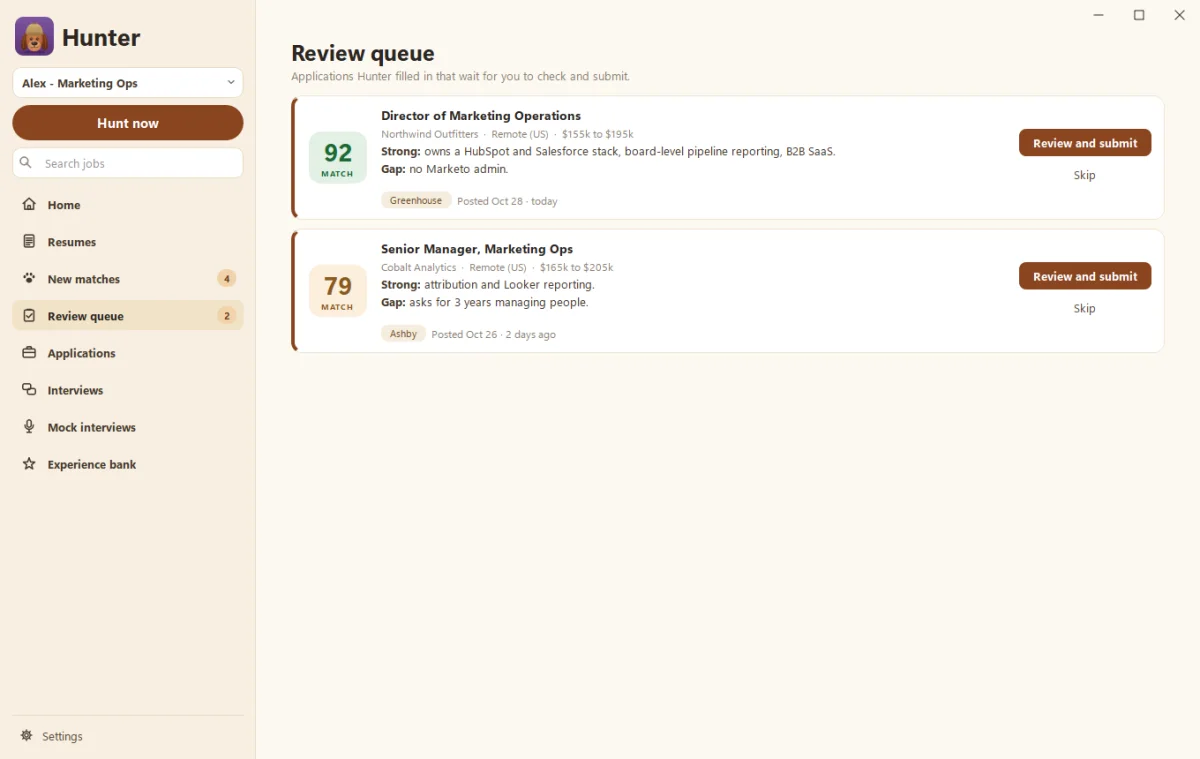
Hunter writes a resume tailored to each job using only what’s in your experience bank, puts the most relevant experience first in the job’s language, and fact-checks it. Reworded lines are highlighted so you can check them. It then fills in the company’s application form from your profile and your standard answers, and applications that need your eyes wait in the Review queue. See Tailored resumes and the fact check.
The short version
- Simple, one-column layout with standard headings.
- Use the job’s words for skills you really have.
- Answer screening questions carefully.
- Write for the human who reads it next.
Questions people ask
Is it true that most resumes are rejected by robots?
Not really. Many systems mainly store, search and sort applications, and people make the calls. Knockout questions, like work authorization, can screen people out automatically, so answer those carefully.
Should I use a PDF or a Word file?
Either usually works. Follow the posting if it asks for one. A simple PDF made from Word keeps your layout and is read well by most systems.
Can I hide keywords in white text?
Please don't. Recruiters see the plain text version, and hidden keyword stuffing is an easy way to look dishonest.
Still scratching your head?
Send us a note and a real person will get back to you.